Respondy is an AI-powered desktop chat assistant that provides
real-time, context-aware reply suggestions from chat screenshots.
Users can upload screenshots, receive AI-generated responses, and
review conversation history within the desktop application.
The application streamlines everyday messaging by combining
real-time screenshot analysis with Gemini-powered response
generation in a desktop Electron environment.
Tech Stack
ElectronNext.jsReactREST APIGoogle Gemini
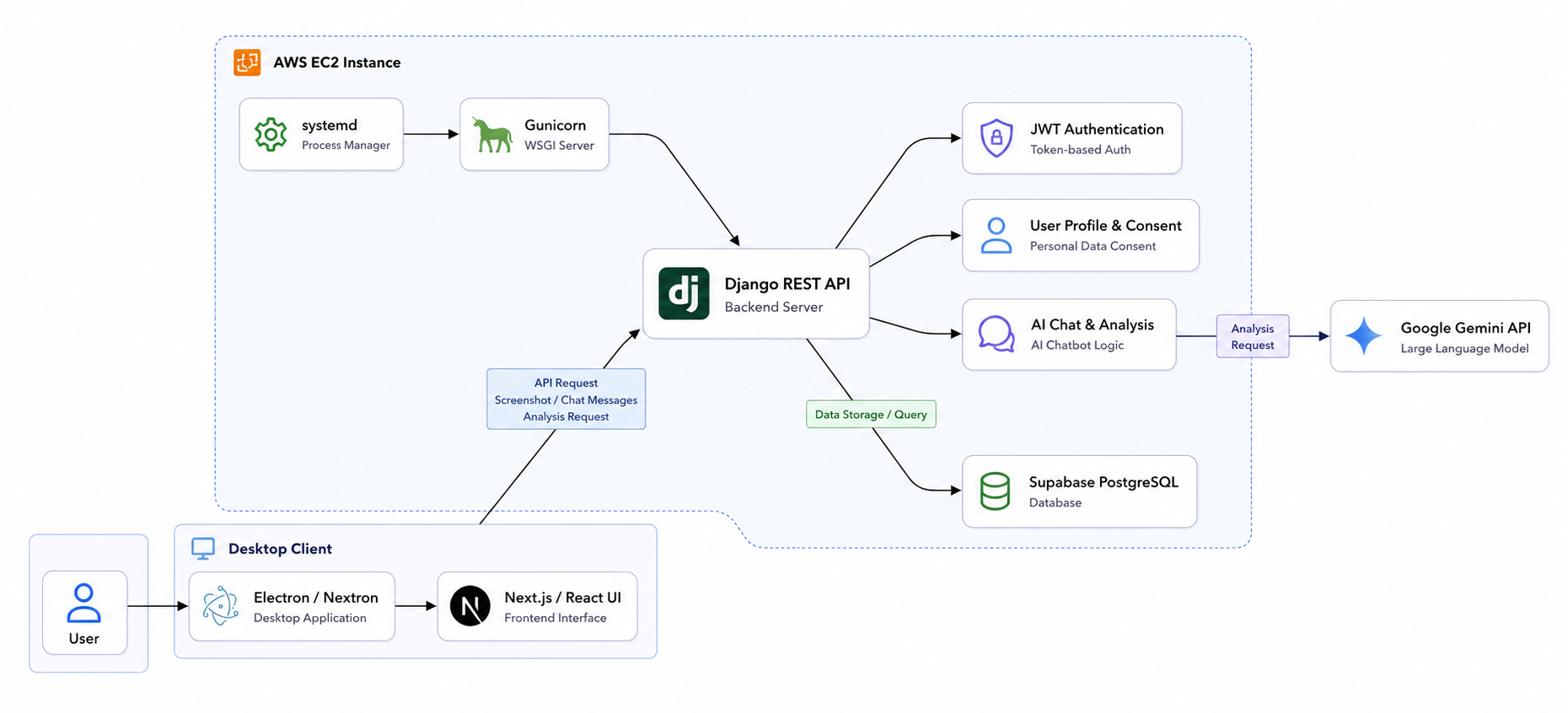
Architecture Diagram
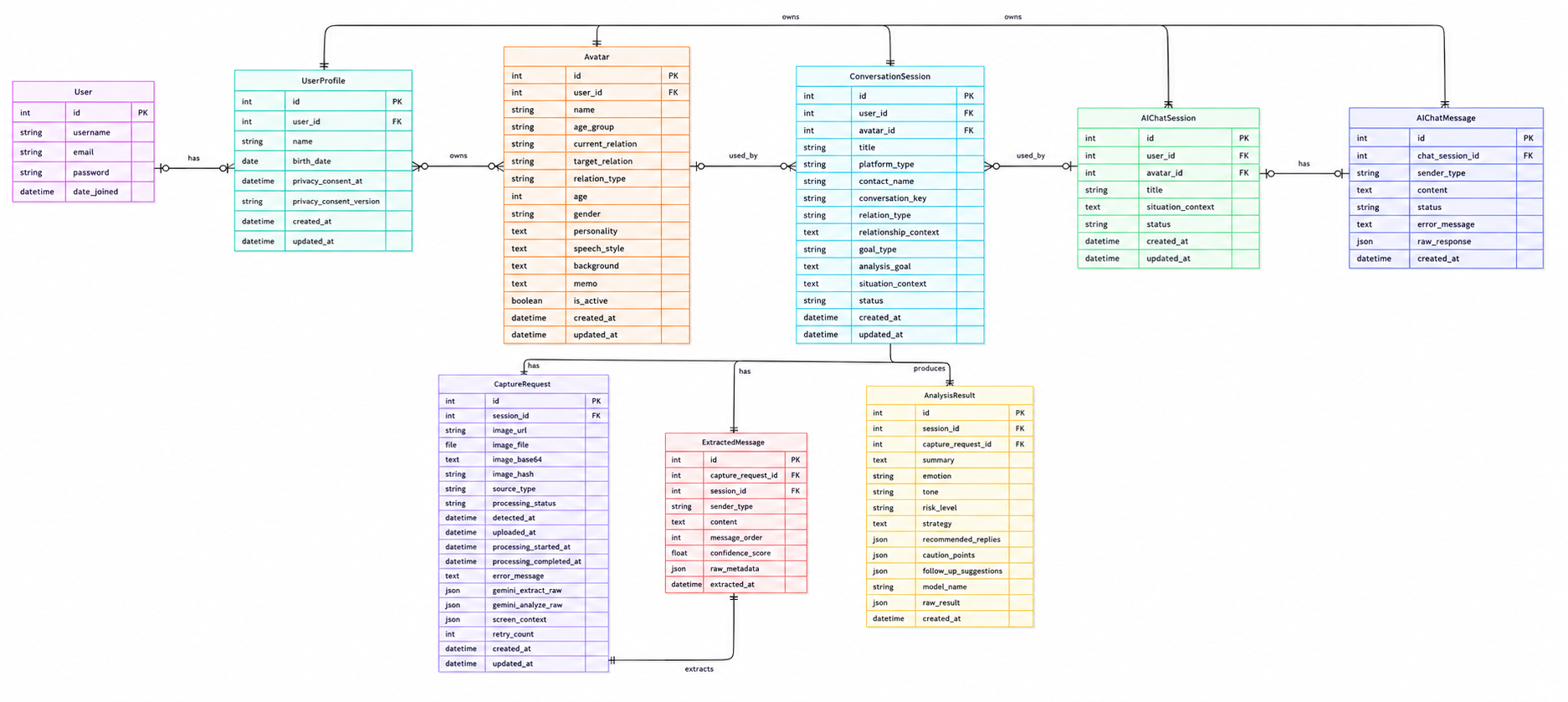
ERD
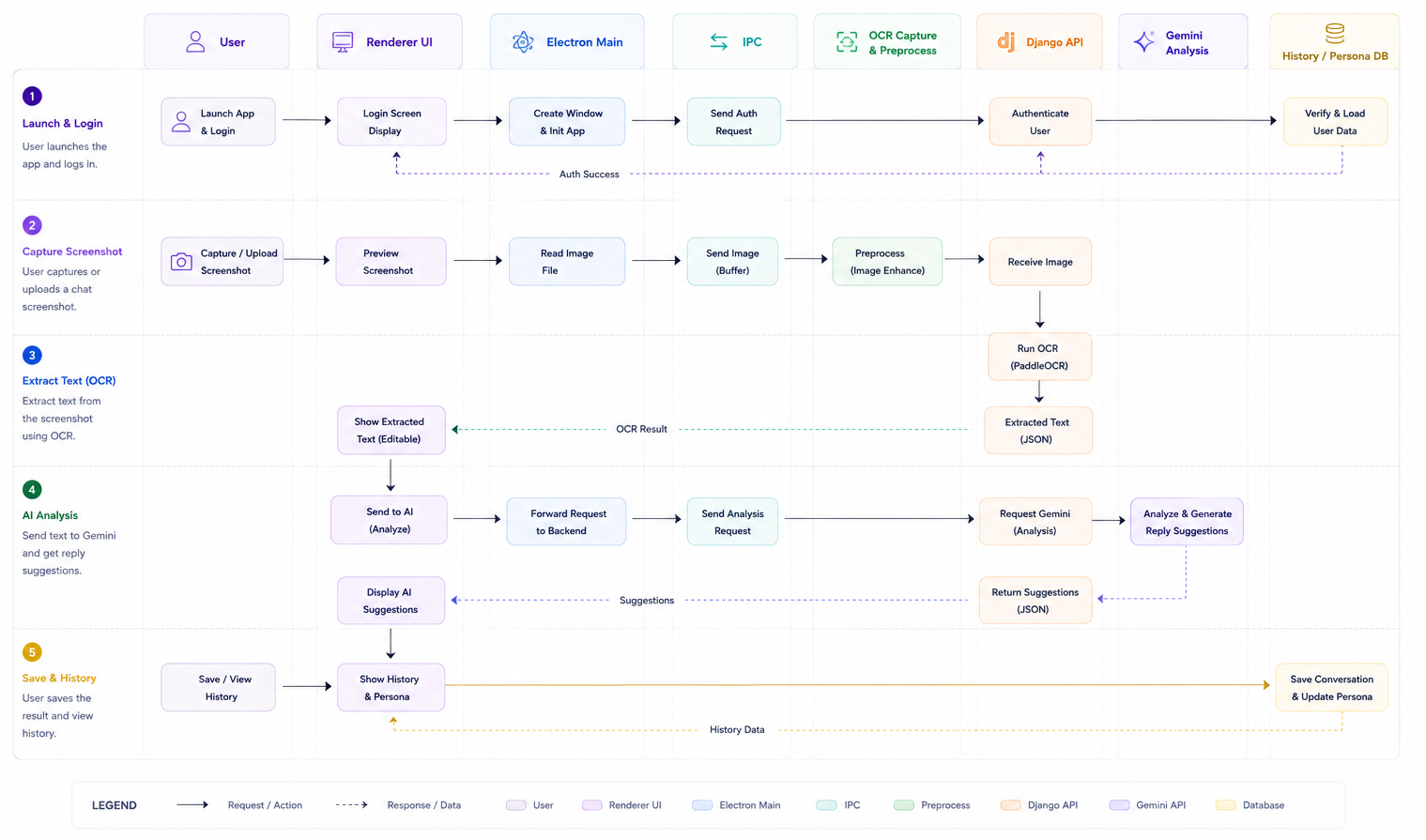
Workflow
Users upload a chat screenshot through the desktop application.
The frontend sends the image to backend services via REST APIs.
The backend analyzes the screenshot in real time and generates
reply suggestions using Gemini.
Suggested replies and conversation history are displayed in the
desktop application.
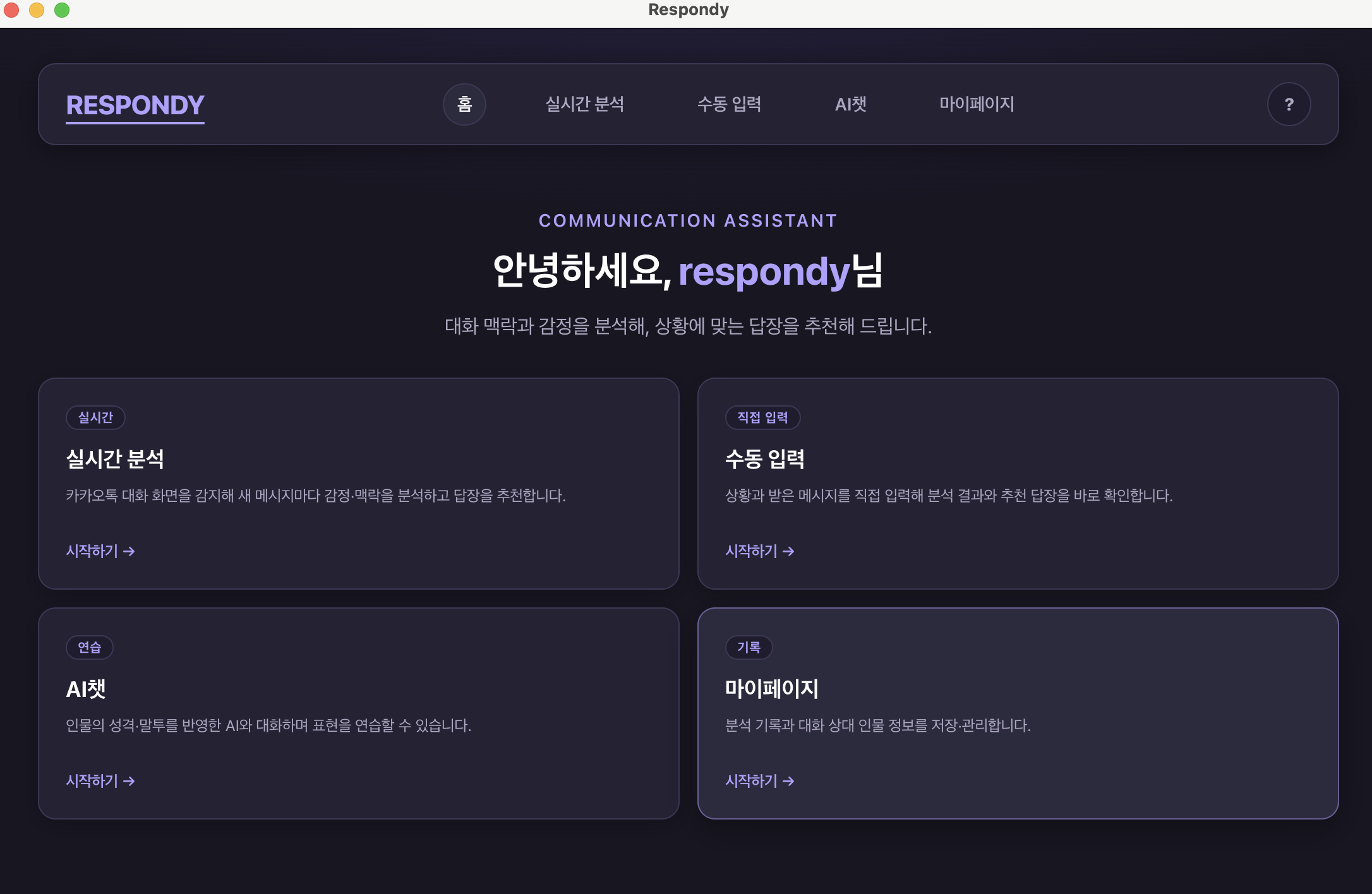
Product Walkthrough
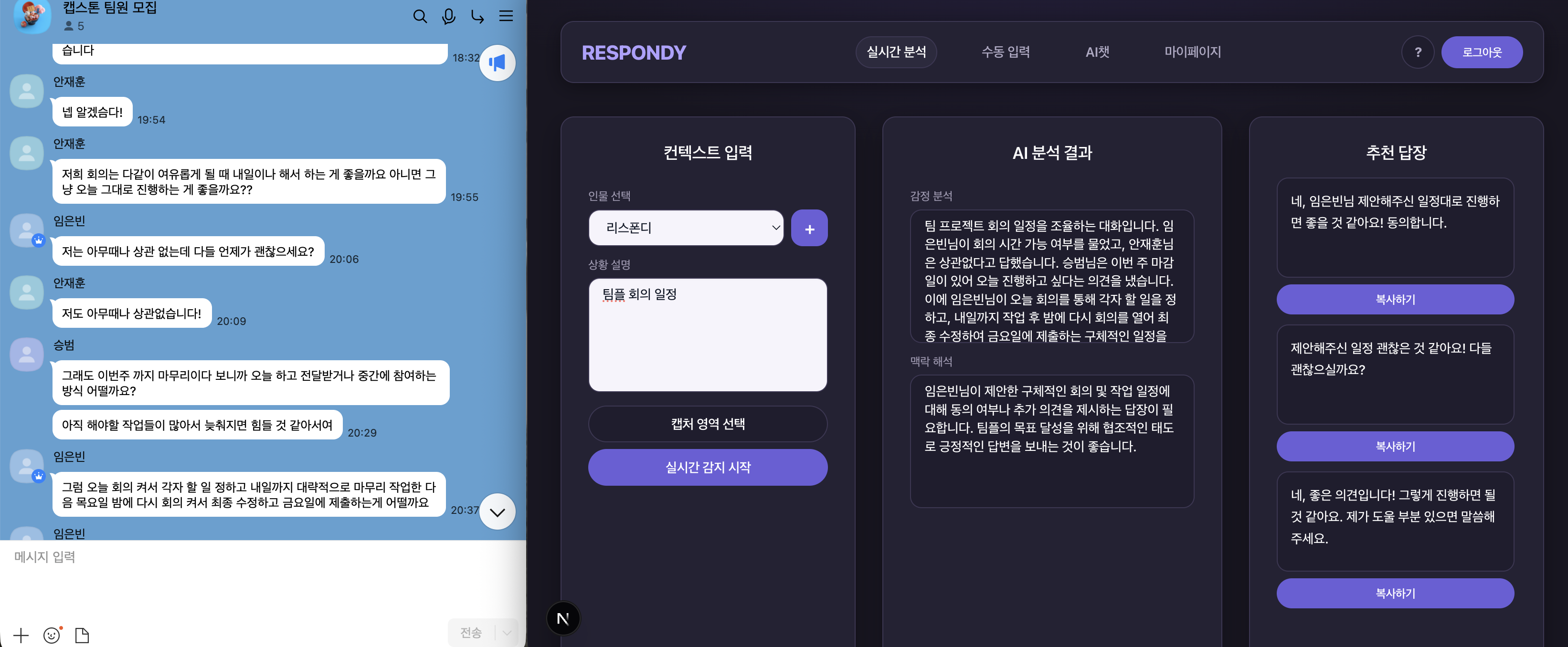
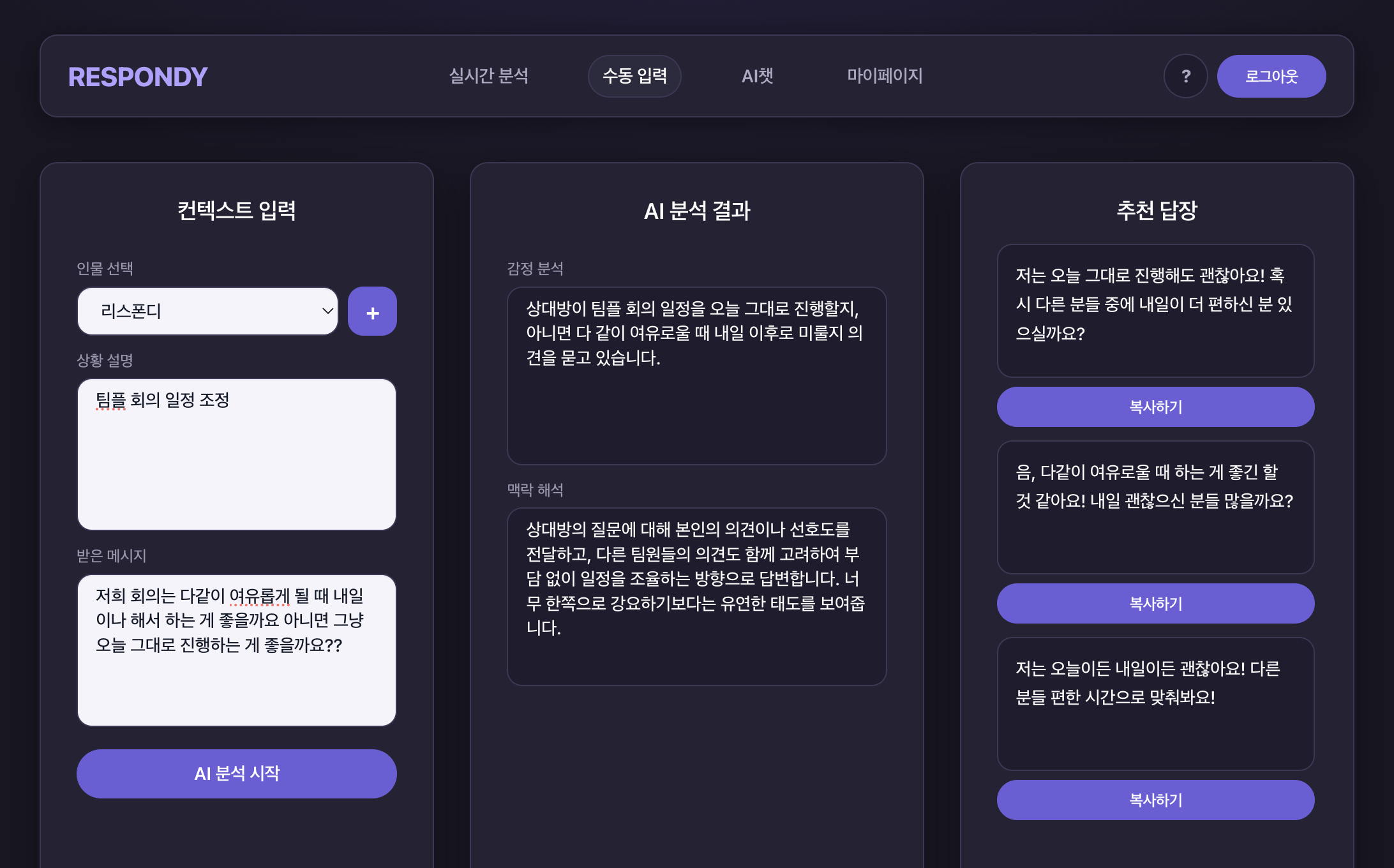
01 · HomeDashboard entry point for core Respondy workflows02 · Real-time AnalysisDetect chat screens, analyze context, and recommend
replies03 · Manual InputEnter situation and message context for AI reply
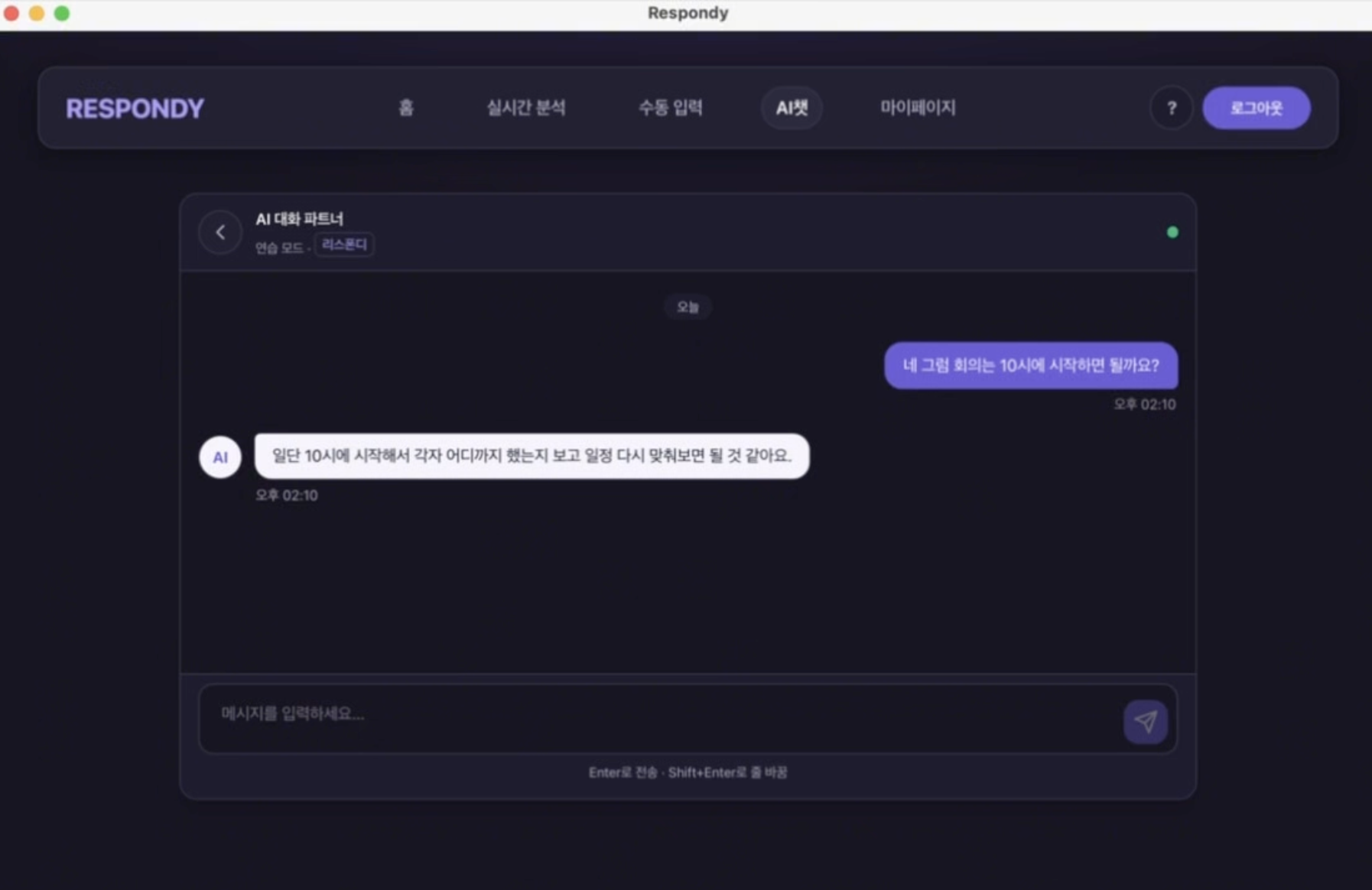
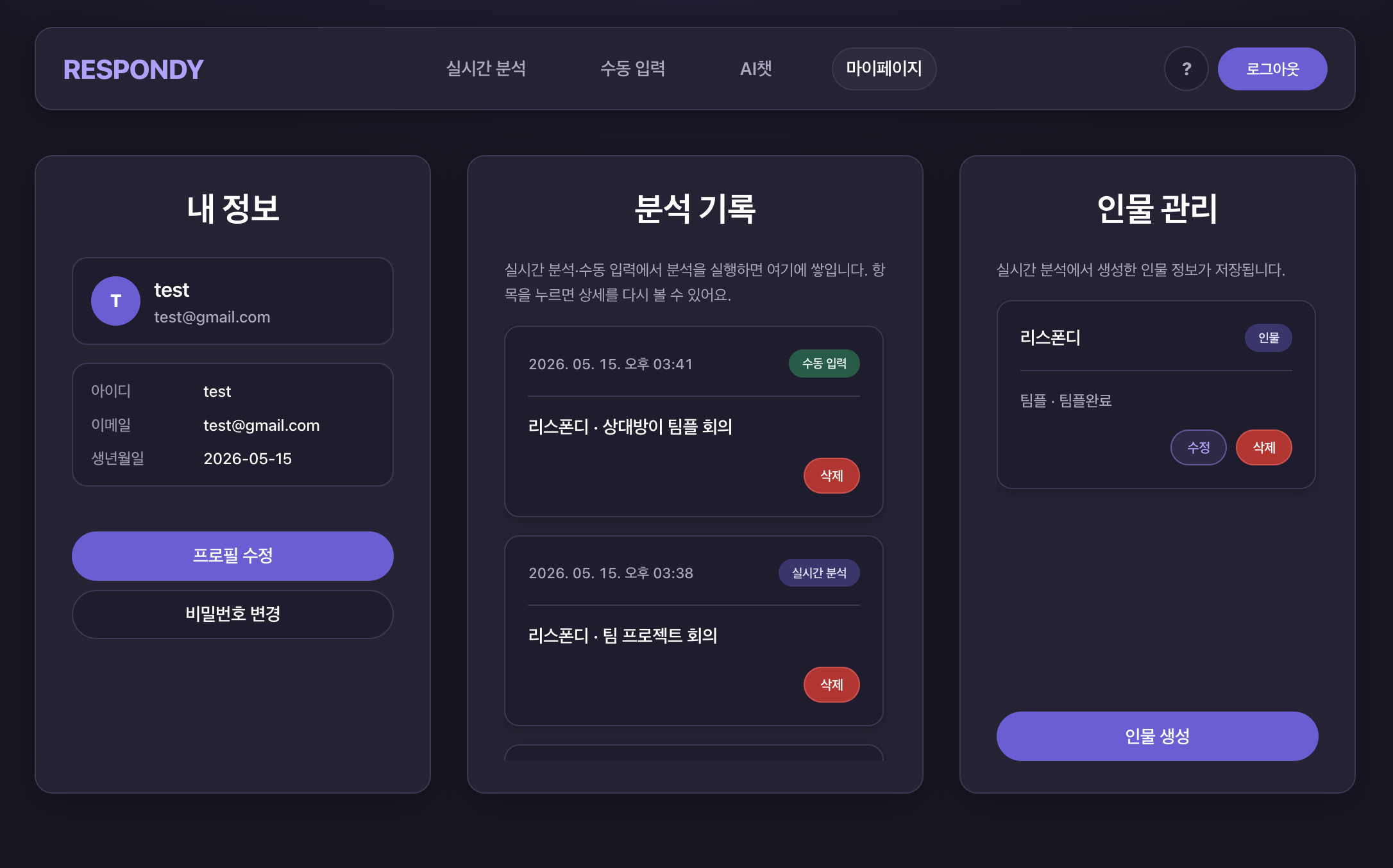
suggestions04 · AI ChatPractice replies with a conversational AI partner05 · My PageManage profile, analysis history, and contact personas
Key Features
Real-time screenshot analysis
Real-time AI reply suggestions
Conversation history
Desktop application built with Electron
REST API integration
My Contributions
Developed the desktop frontend using Electron, Next.js, and React.
Implemented user interfaces for screenshot upload, AI-generated
reply suggestions, and conversation history.
Integrated REST APIs to communicate with backend services for
screenshot analysis and AI-generated responses.
Improved the desktop user experience by implementing responsive
and intuitive interfaces.
Challenges
Building a frontend that could display AI-generated replies with
minimal delay after screenshot upload.
Integrating Electron with REST APIs while maintaining a smooth
desktop user experience.
Managing asynchronous image uploads and response updates
efficiently.
What I Learned
Learned how to build desktop applications using Electron, Next.js,
and React.
Gained practical experience integrating real-time REST API
workflows into a desktop application.
Improved my understanding of asynchronous state management and API
communication.
Learned how frontend applications interact with AI-powered backend
services.